 Mathew Moose
Mathew Moose
Mathew Moose

I am a graduating senior at the University of Pittsburgh at Johnstown studying computer science. I have experience with developing software applications and a thirst to always expand my skillset.
When I decided to take this course, I wanted to make sure that I had a place to tell my own story. I quickly took to the idea of designing websites and utilizing different technologies in order to make it happen.
This website will be used as a showcase for the content that I learned throughout the course as well as an explanation of my own technological creativity that paved the way. Thank you to everyone in the class as well as Professor Marissa for allowing me this freedom and helping me hone my skills. I hope you enjoy!

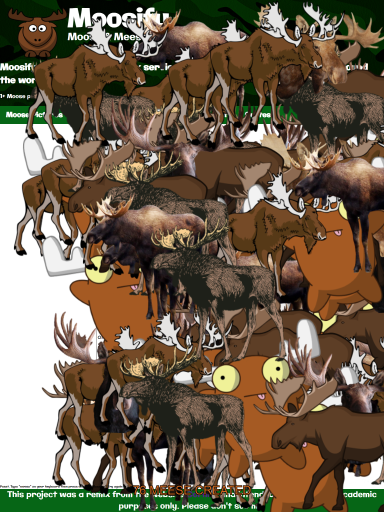
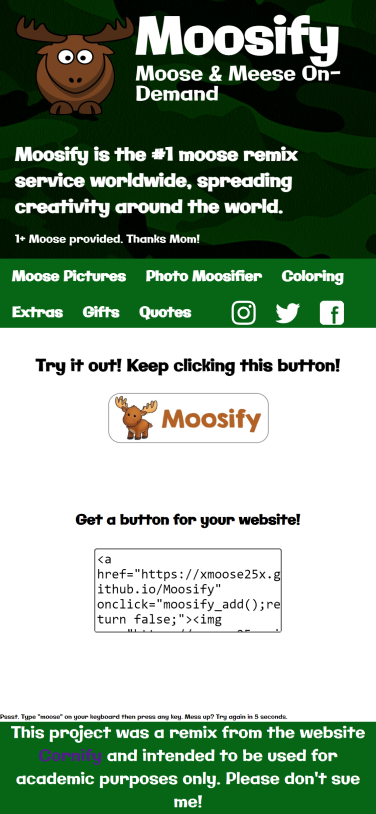
Moosify was a project based on the popular website Cornify. Just as in the original, my project has the ability to randomly generate image elements onto the screen using JavaScript DOM manipulation. The goal was to remix an existing piece of digital media, so I decided to have moose appear on the screen instead of the usual unicorns and rainbows. I added in a custom button for embedding onto other websites and have the script publicly available for use just like the original.
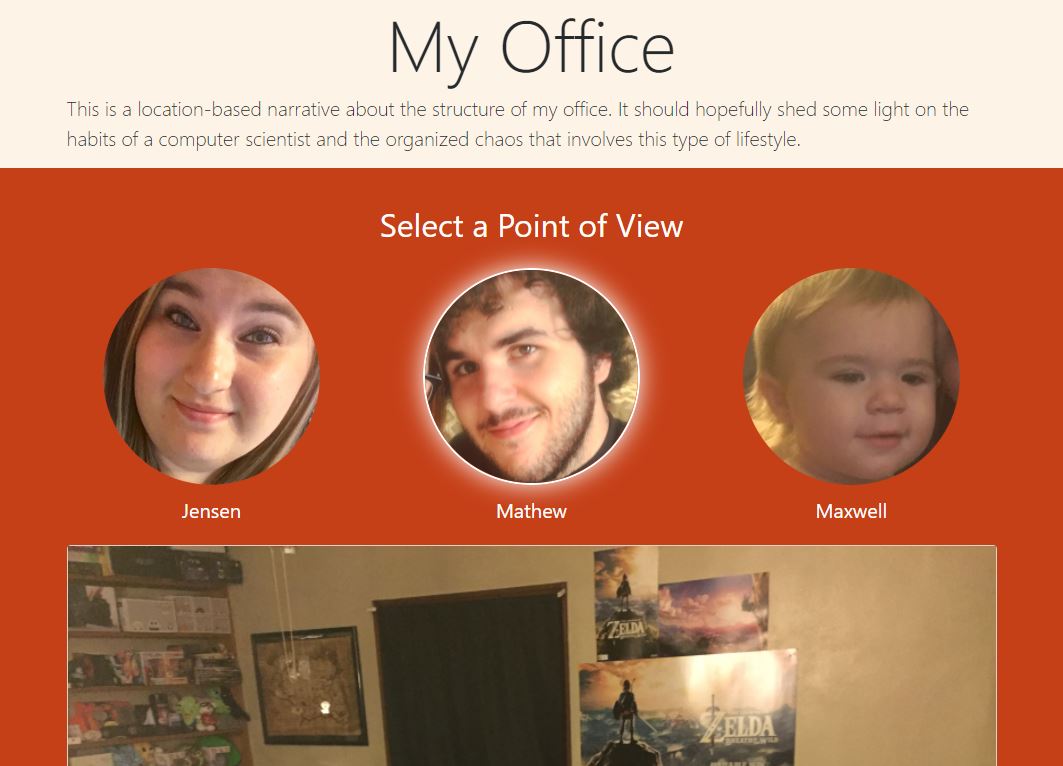
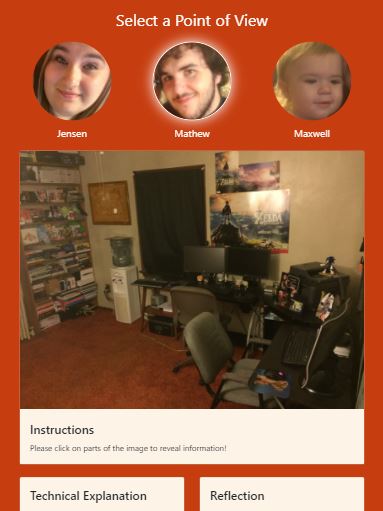
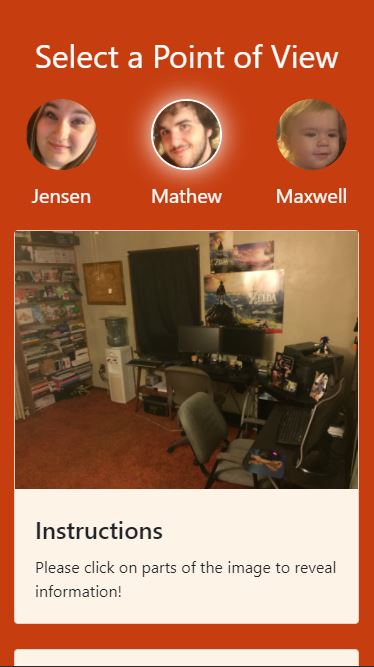
My Office was a project that was made in order to provide different points of view for a location. I decided to use my home office because although I spend most of my time here, I rarely thought of how others probably viewed the chaos. This led to me deciding to make scalable vector graphics (SVGs) with paths cut out to bring the object "to life". It allows for scalability on all sizes and shading for each section of the image. I then decided to take the project a little step further and add in my family's perspectives using some simple Javascript toggling. This was one of my favorite projects to date.
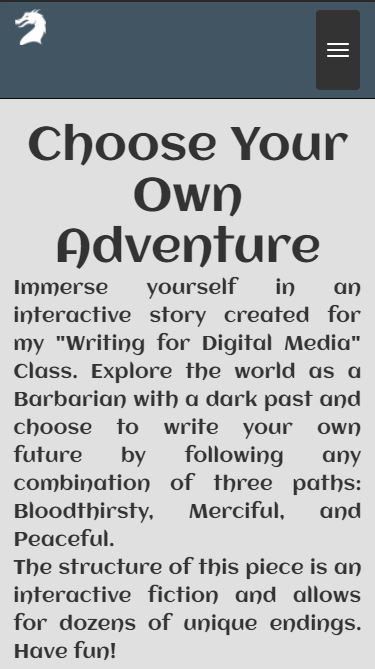
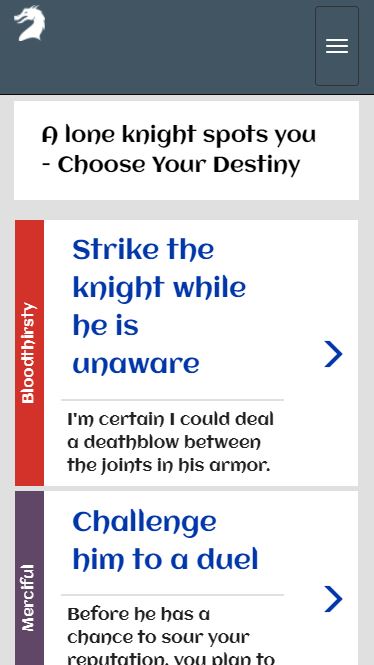
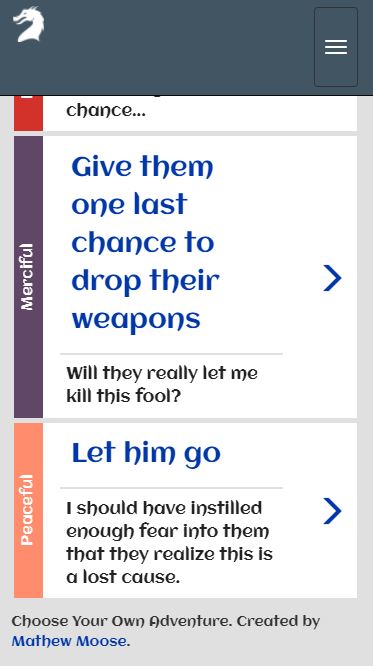
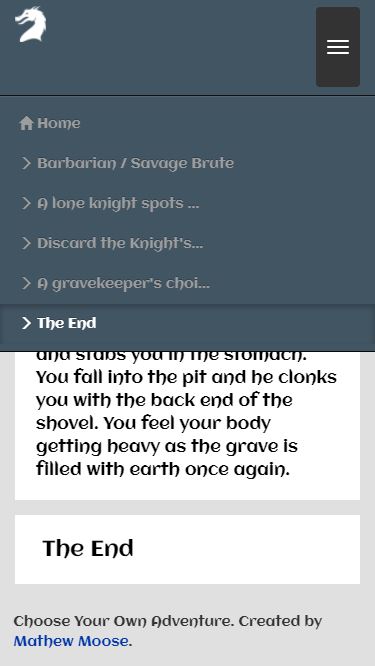
Choose Your Own Adventure was created after seeing so many different interactive narratives be unusable on a mobile device. Using the React.js framework, I was quickly able to make a responsive design with super easy customization. Harking back to a project similar in scope during my intership, I decided to make customized breadcrumbs that kept track of the choices in the story. Finally, I used a simple JSON file to host all of the choices and flavor text so modifying anything only takes a few seconds! While probably the most technically challenging project of the bunch, this one did fall a little flat in terms of entertainment when presented to the class.

Over the 15 weeks of the course, we were instructed to keep a blog. Learn more about my creative process and ideas below!
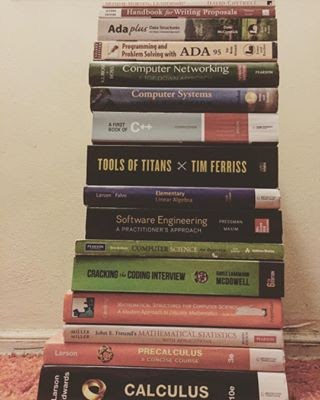
This prompt really had me thinking about my schooling and general understanding of learning in a broad sense. While I realize that I could easily name ten different topics of interest to me, it felt unnecessary to try and "limit" myself to only picking ten. All of my life I have been fascinated with trying to understand how things work, but this did not only extend to my interest in technology. On the contrary, it was not until I was older and understood how the inner workings of computers functioned before I became set on a career as a Computer Programmer.
Throughout my studies here at the University of Pittsburgh at Johnstown I have finally found a greater appreciation for a well-rounded education. Though I was challenged with courses that are far from my personal passions, such as History, it never inhibited my ability and desire to learn the material then ace the exams. The unquenchable urge to continue learning everything in my power continued as I conquered course after course. It was not until I graciously accepted induction into The Honor Society of Phi Kappa Phi that I truly learned my place within academia. The motto of the organization is formed from the Greek phrase "Philosophía Krateítõ Phõtôn", which loosely translates to "Let the love of learning rule humanity.” This wonderful opportunity lead me to continue to strive for knowledge and never give up on the importance of learning.
However, as with any person who sets out to find knowledge and make their mark on this world, failure will happen. There might be several people out there right this second reading this article or viewing my work and thinking to themselves that I have failed in some way or another. Yet, that is exactly the point of all of this hard work! I intend to set foot into new domains such as digital writing, plan on conquering territories within the web development world, and have my heart set on showcasing my talents in computer science with the purest intent of falling flat on my face. It is through this trial and error that not only will I learn from my mistakes, but I will also start unraveling different unknown talents hidden within myself.
Ultimately, this post may not be an award-winning rambling from a computer scientist but rather the content itself is telling of my ability to learn new concepts. I have infinitely more things that I want to learn in all aspects of my life and it was through my time at University that I have finally been able to have this realization.
This prompt really opened my eyes to the amount of influence that entertainment media has on my generation. For those of you who were unaware of the prompt's layout, it was just a series of dots aligned to make a grid. We were then assigned to do exactly what you would expect from the prompt, get ideas from the person nearest to you.
While asking others what I should do with this page to get my creative ideas flowing, I was amazed to not only hear "play the line game" ( Dots and Boxes for those of you who are unfamiliar) but also immediately thought to myself and told my partner to "make some pixel art" ( Digital Art primarily used in video games). While I didn't think too far into it at first (because hey, who doesn't like playing Dots and Boxes?) I stopped and thought about the answer I was given and the answer I gave. I quickly decided that I had to go ask a couple other students (who appeared to not be heavily into computer science like myself) and sure enough I kept getting answers similar to "draw a picture" and "write down your thoughts".
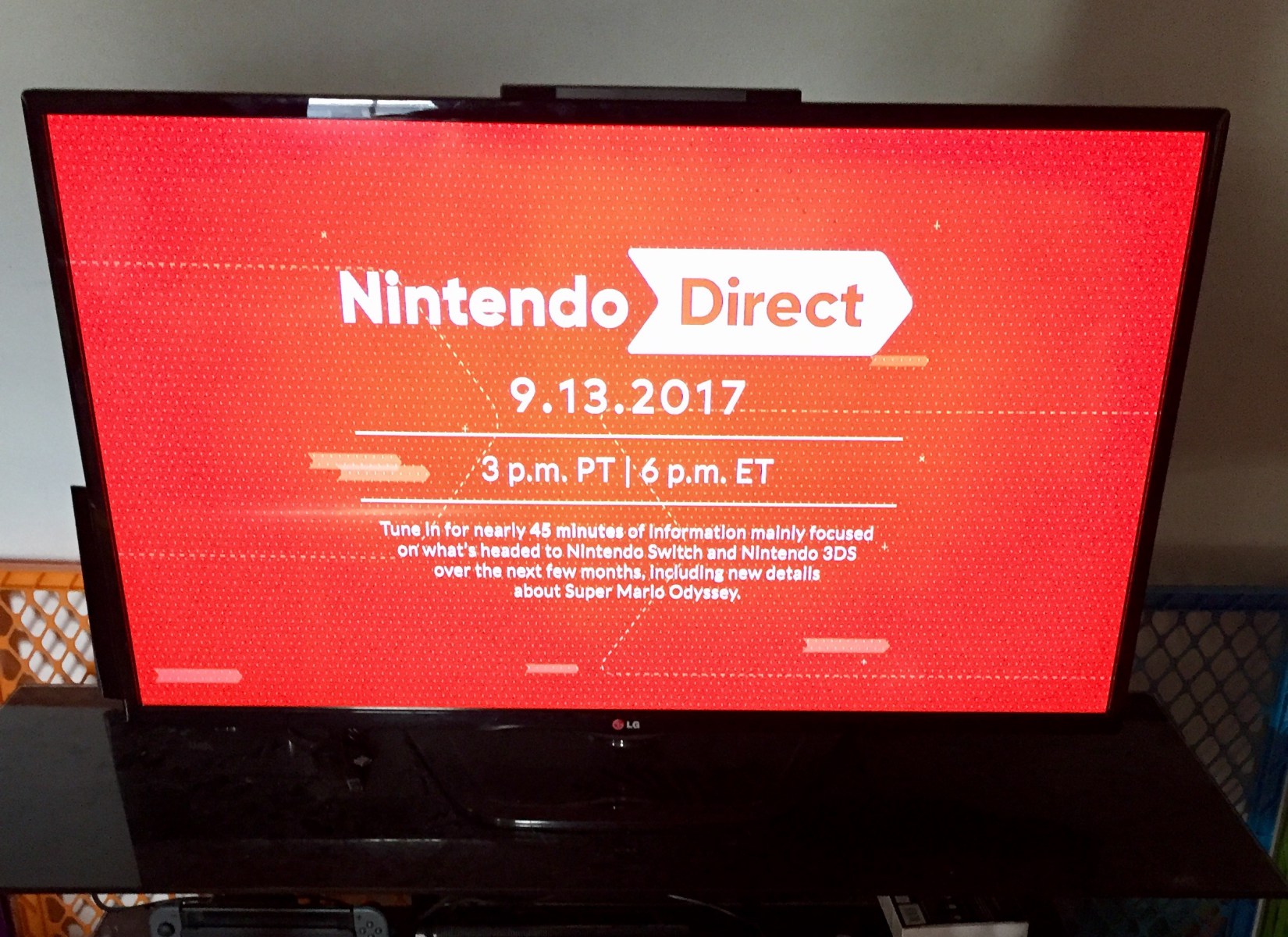
As I decided to head home and think about what this all meant in terms of the persuasive influence video games have on me, I checked the time and realized that I was just in time for the Nintendo Switch Direct! Sure enough, my fiancee and son piled on the couch right beside me and watched the entire 45 minute presentation all about video games.
In the end, I can definitely say that my generation might be swayed by the content that we view and it will definitely be a topic of my future study. However, I couldn't imagine my life being any other way as a Computer Scientist with a passion for video games and entertainment.
This prompt did a fantastic job at reminding me of why I really feel passionate about my major and hobby - computer science. In my field, almost every other developer is technically a "competitor" because they are trying to design programs and apps that redefine the way we use technology. This makes for a constant challenge of staying up to date with the best processes, libraries, languages, etc.
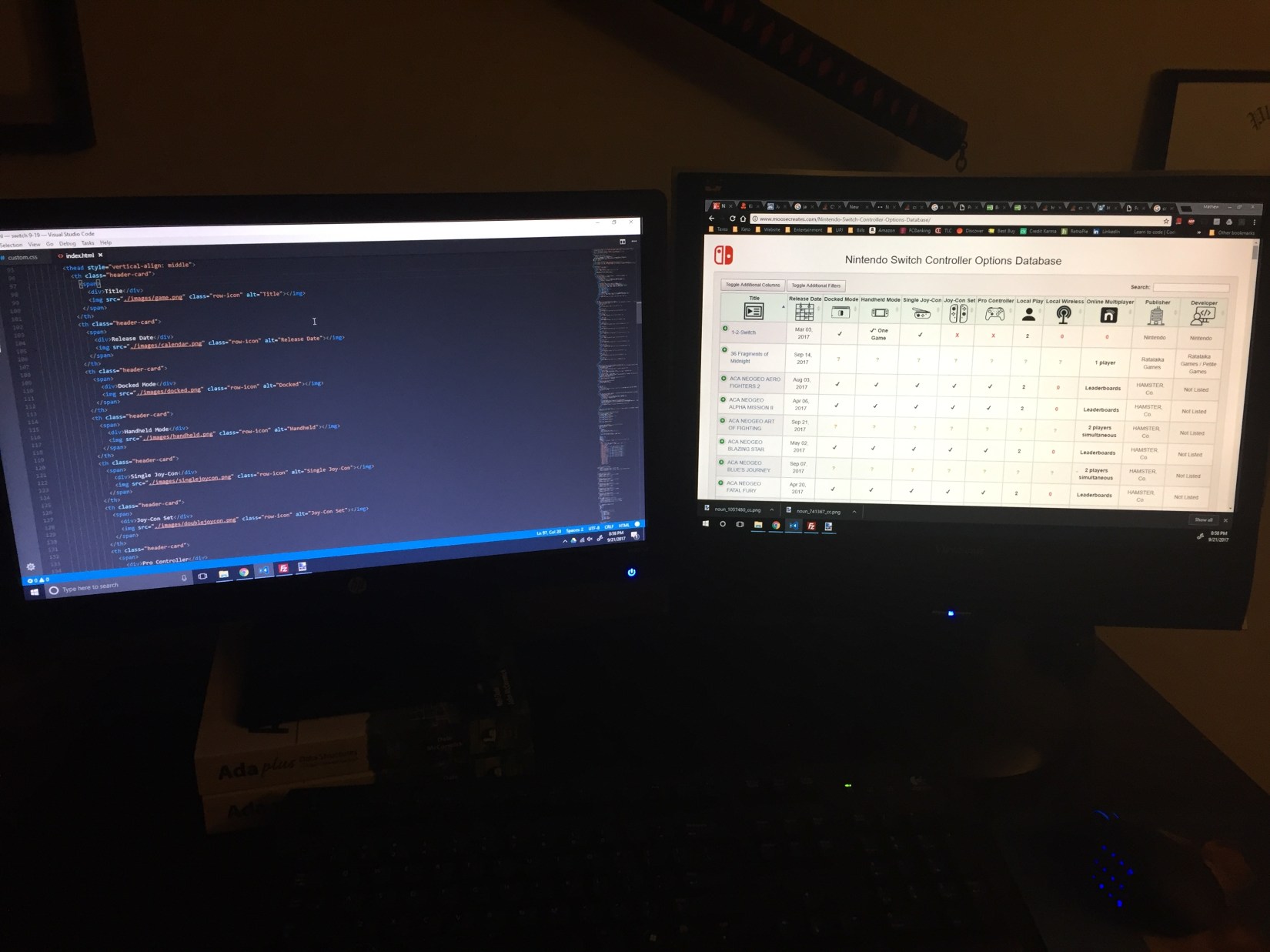
However, being a programmer allows for some of the best collaboration out of any possible career path. Just today I had decided that it was time to employ the help of hundreds of other Redditors to help me improve my website design. Even though I previously explained that all programmers are in competition with one another, they are also some of the most helpful and friendly people in the world.
There is almost an unspoken rule within computer science that helping others is more important than all else. Whether or not this stems from general kindness or just people understanding that collaboration is ultimately better for producing products is irrelevant. This can be seen with sites like Stack Overflow, Code Pen, and GitHub. Collaborative projects among hundreds to even thousands of people are how we have some of the amazing technology we have today.
Ultimately, I am thankful for the help of other people during all of my projects. Not only do they allow me to gain insight and knowledge into the field, but they are always there as helpful guides. I plan on always "competing" with these other people, though when I find someone who is in need of help, I'll be sure to give them some guidance.
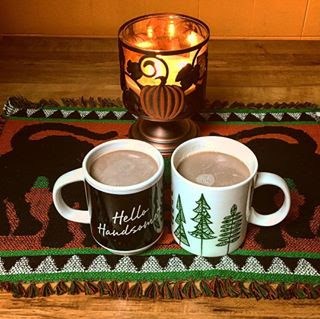
This prompt was the first that I can honestly say I was forced to sit down and take a closer look at my situation. For those of you who are unaware, people like to say that I "have a lot on my plate". While that may be the case, I know that I am unable to agree without sounding vain. However, something I can openly admit is that I sometimes become blind to those who have helped me achieve what I have and continue to enable me to be the best version of myself. So today, I sat down for coffee...
It was not a long time. A couple minutes before my shift for work started in the comfort of my own home. Just my gorgeous fiancée, spectacular son, and me. Even though it was only for a few minutes, this time allowed me to clear my head. I was not worrying about my piles of emails at work, hours of homework and projects from school, or the recent pull-requests that I had made at my internship. With all of these things burdening me and taking up nearly every free hour of my day, it's not often that I think of unrelated things.
So this post is going to be short yet sweet with a discussion about who has collaborated in my own personal story, and not necessarily a project for school, work, etc. From the days where I was on my own and struggling to find my place in the world, to the man and father that vows to do the best for his son; I have come a long way. I would never have made it this far without certain people driving me to do my best, but also all of the naysayers that told me I wouldn't amount to anything.
Should you find yourself ever reading this blog post, understand that you have helped shape my life in one way or another. Even if you haven't realized it, or even if you intended to throw me off course; I assure you that you've done nothing but good in my life. So as I finish my coffee, I just want to say thank you. Thank you Jensen, Maxwell, my folks, my professors, and closest friends. Thank you to all of the haters, all of the silent advocates, and to everyone else out there that I have yet to encounter on my journey. I'll see you all at the top!
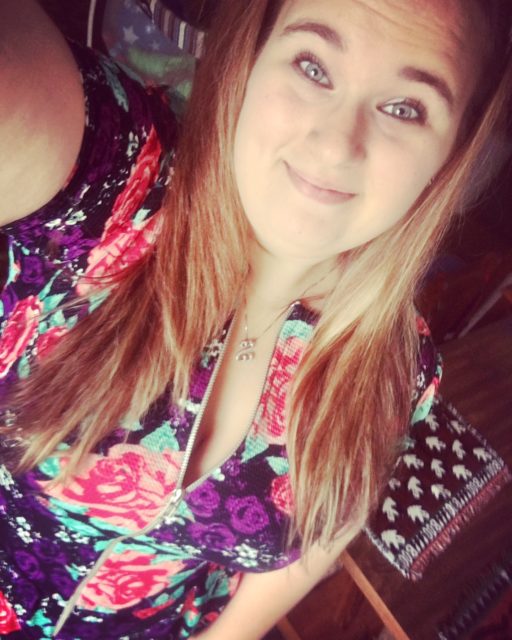
Dear Jensen Mikelle Durica,
I want to start this letter off by explaining just how much you mean to me. Not only have I been privileged to see your gorgeous smile for the many years we were friends, but you have also been an emotional rock for me through some of the toughest parts of my life. Now here we are several years later, engaged with an absolutely precious child and I honestly could not be happier. However, there is much more to our story and so much more that I am thankful for...
How can I possibly describe just how much you do in a single day? When people hear about the amount of stress and work I have on my plate, my first reaction is to always explain how this was all made possible, and that's you. For each and every second of my day that I am working, going to school, or running errands I am not there to help you raise Maxwell. Moreover, you still find the time and energy to cook dinner, fold laundry, and clean the house. It's incredible! I know we joke around that you are "SuperMom" but in all honesty, there is a lot of truth to that. You find the strength and willpower to make this family run smoothly and never once complain about it.
In addition, the amount of sacrifices you have made for Max and I is obscene. I know that things didn't work out exactly as we had planned, but you faced each and every obstacle and hurdle in our road with a smile on your face. I promise you that when I say I did not wish for you to drop out of college or quit your jobs, I mean it. Furthermore, I get that due to the low salary of my job I have burdened you in many ways such as: having to cut back on clothes shopping, limiting our dates, and not having all the luxuries you were used to.
However, I want to make sure that you are aware of my promise to succeed. I have been given one life to live and I've already made plenty of mistakes along the way. Yet, I know that due to your persistent presence in my life that I will end up doing something amazing. You have my word. Jensen, I love you more than you will ever know and I swear on my life that I will eventually provide you with everything your heart could ever desire. Thank you for being the light in my darkness.
Sincerely,
Mathew Moose
P.S. Please check out my short narrative Who I Am on Twitter to see how you fit into my story.
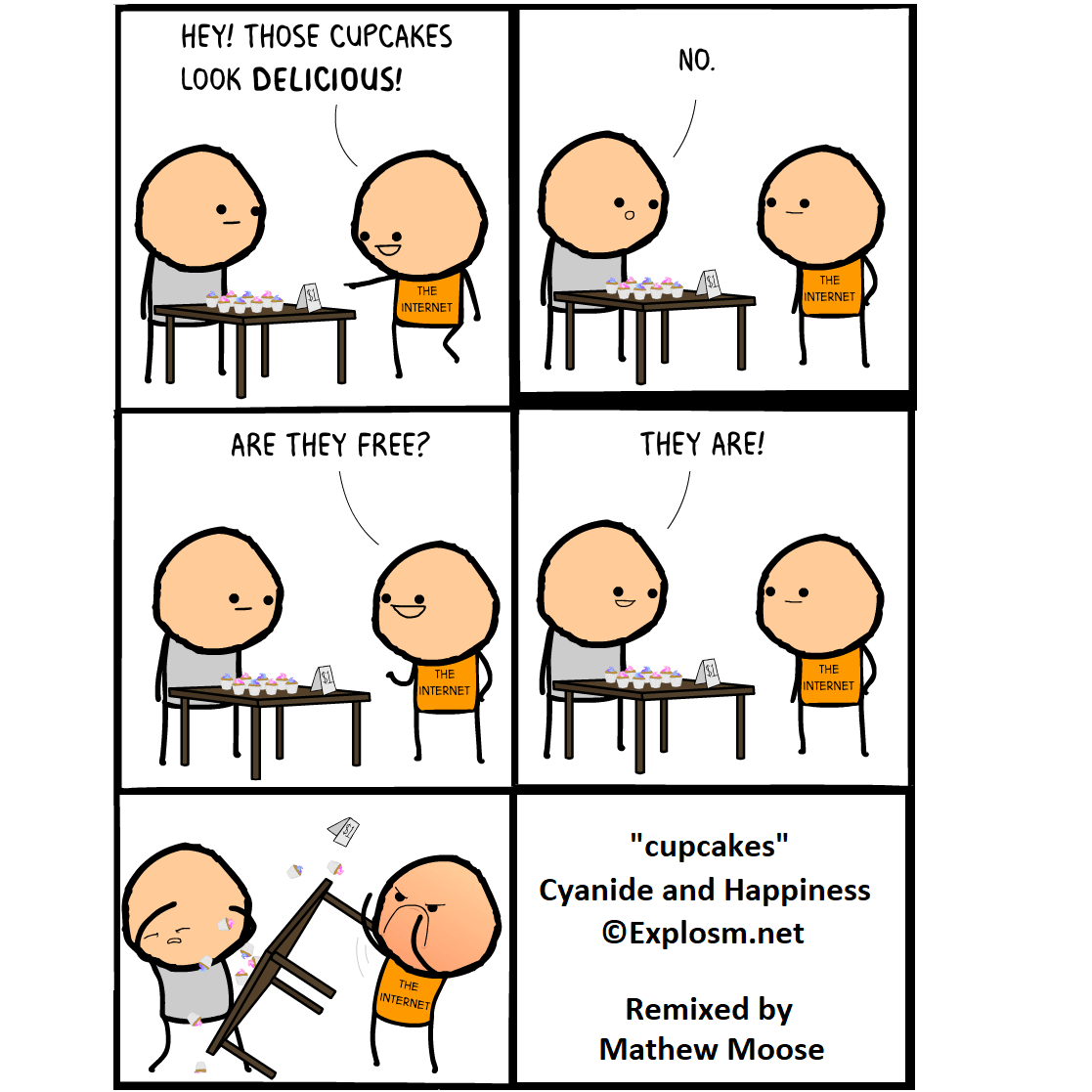
This prompt was really fun to do because I got to reinvent one strip of my favorite webcomics, Cyanide and Happiness! Now I do want to explain that they do have their own Random Comic Generator on their site that allows anyone to make hilarious shorts. Additionally, they have a Card Game that takes this idea and makes it into a game for friends! However, this post is going to be a little bit more than a shameless plug...
In our Writing for Digital Media class, we have been discussing remixing and sampling a lot and the different styles and forms that these concepts can take. Remixing is the appropriation of existing media and the subsequent reshaping or recontextualizing that creates a new work. Sampling on the other hand, is a type of remix that directly copies bits and pieces of other media and inserts them into bodies of new work.
While we looked at some interesting pieces in class that ranged from digital texts to printed photographs, most media that has been created in this century has some way or another remixed a previous concept. Although people may tend to ignore this fact, or simply not realize it while consuming media, there is a lot of "creative stealing" going on. My comic strip was just a quick example of selective remixing; that is to add or remove select elements from an original work while leaving the aura intact. However, there are many more examples that we covered in class (with my personal favorite of the bunch being Garfield Minus Garfield).
I think it's very important for people to realize the amount of remixing that goes on in our world today; though I don't just mean to have an educational understanding of the topics. Remixing and sampling both extend much further than just the classroom, or even just entertainment. These concepts are insanely important in most careers that exist today. It can be seen in marketing advertisements that use remixed content, computer scientists who sample code libraries from millions of other developers, journalists who alter their covered stories for an interesting twist, and many more!
Ultimately, I hope that everyone took the time to enjoy my simple comic strip today but also realized the importance that remixing has within our culture and society. Stay tuned for my upcoming remix narrative!
This week's prompt was in relation to the remix section of our class that we were ending this week. The particular prompt asked us to find an old piece of writing that we completed in the past, cut it up, and then paste it into the booklet rearranged! Although this seems rather odd at first, I can assure anyone who is curious that it is honestly so rewarding. Having the ability to formulate a completely different idea or remove context from my work is incredible. However, I think the most invigorating part is that I am reshaping my own thoughts and feelings. This is what makes remixing stuff truly exciting to do!
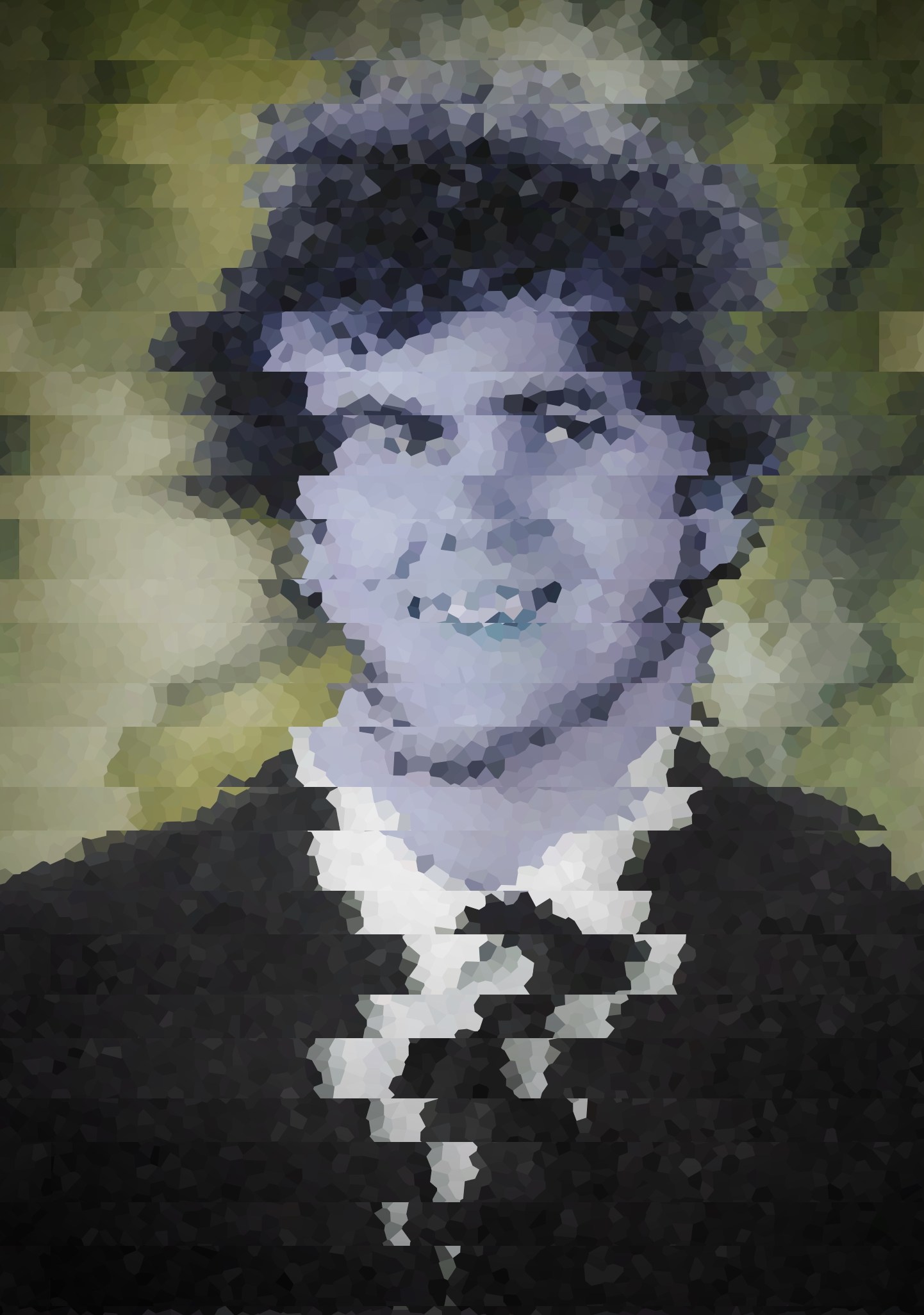
This week I wanted to have a quick entry about remixing which is the basis for the project that I submitted as well as the photo you see above. To begin, I think it has to be reiterated that we discussed the concept of originality not really existing in this day and age. That is, mostly all of the media we interact with on a day to day basis is either computerized, or able to be captured and processed digitally. This ranges from photos and text messages down to our news and music. With all of this content out there and readily available, it's really hard not to be influenced by it in some way or another.
The photo I created was obviously a picture of me in a suit (looking awesome, I know) that had just a few minor alterations to it. This included a crystallization pattern with a randomly chosen seed, fractal jittering that I tweaked to my likeness, and modifications to the hues and color saturation. Although the heart of the image still exists and my face can clearly be pointed out, you'd have to admit that this is radically different than how I normally look, right? I think this example is the clearest way to explain how simple it is to remix! More importantly though, we can see that I generated a very creative and original picture. However, the content (the original picture) and the tools (photo editing software) were appropriated from different sources and not technically "original" in the sense that I was the first one to have made them.
Although people may just argue that we are getting into a debate of semantics and definitions, there is really a lot of different ideas that go into how remixing is applied. This extends not only into the creative realm of reusing music, but the legal side of stealing concepts and patents. Hopefully this gives you a little more insight into remixing scene as you view my remixed narrative "Moosify".
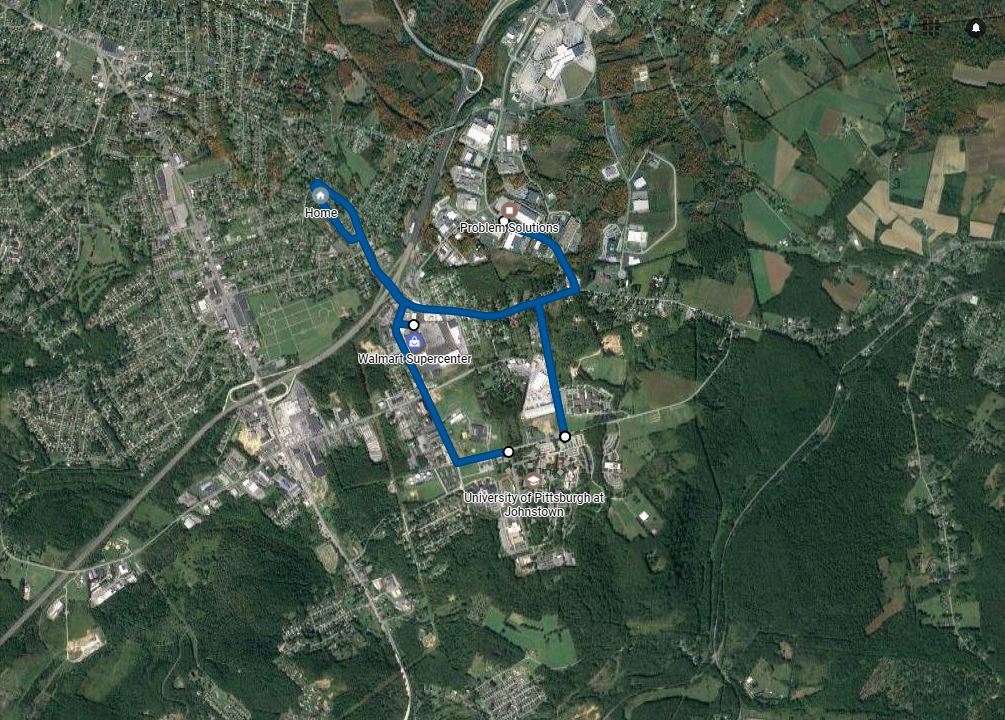
I have been excited to do this prompt since the day that I got home from the bookstore and flipped through my Steal Like an Artist Journal. The reasoning is really straightforward; nobody would expect the kind of life that I have given a map of the places I go.
This week we have been talking about "Location-Based Narratives". These are stories that rely heavily on location in order to be engaging. The premise is that narrative content can be layered ontop of physical locations in order to change the dynamics of an artifact. Location-based narratives normally involve or engage participants, even if it's just by mentally connecting them to a place depicted by a photograph. This concept quickly became home for Augmented Reality Apps; software that allows the user to interact with an artificial world by digitally changing the perception of our own world. The most notable examples of this are the AR filters seen within Snapchat. Video game companies soon took hold of this market, especially Nintendo, with the launch of AR cards and Pokemon Go.
Furthermore, location-based narratives are extremely diverse and have the ability to come in many different forms. The map that I chose to create today does not directly explain anything beyond a couple places and the roads that connect them. However, when I provide the following context, the photo and this blurb will create a harmonious whole that depicts an average week in my busy life.
Although I only have 4 locations on my map, I promise you that I am always moving about. On a typical Monday, Wednesday, or Friday I do quite a lot of running around.The best part of this map though is that it shows the small-town mentality that exists within Johnstown. Knowing that I can live comfortably with my family, get all of our groceries, and earn a living all within 10 miles of each other is extraordinary. However, it's my hope that existing in this little blip of the world for a couple more years will finally give me the opportunity to bust out and travel all over with my family.
- I head to UPJ for morning classes from 9am to 1pm
- I quickly scuttle over to Problem Solutions from 1pm to 4:15pm
- I head back to UPJ for my Writing for Digital Media class until 6pm
- I clock on at home for my half-shift at Geek Squad until 10pm
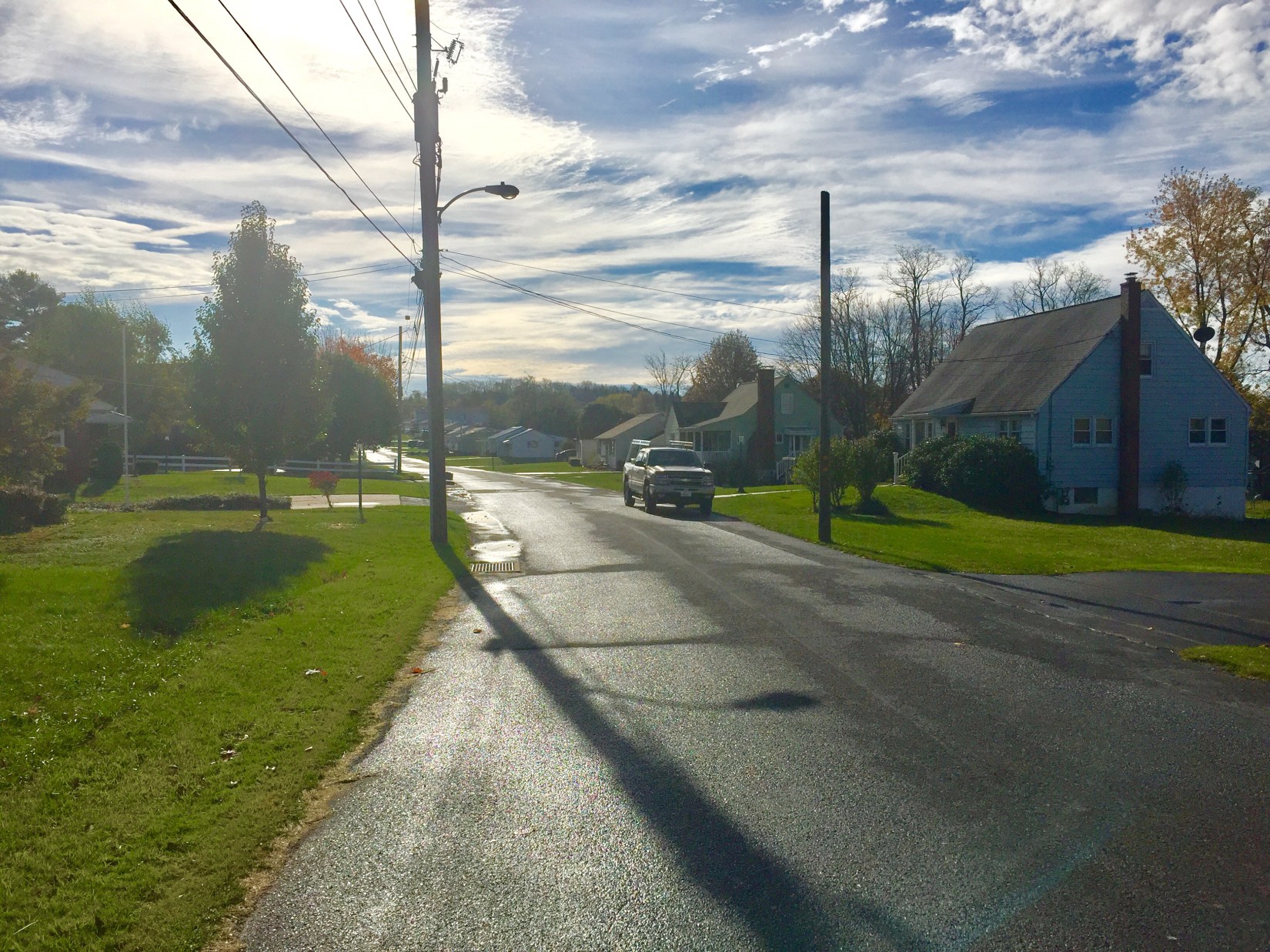
So today I got to take a walk on my lunch break between my internship and work. For those of you who are just tuning in and wondering why it looks like a residential area...well it is! Although I have no idea where my future will take me, I've had the privilege of working out of my house for the past 2 years now and it's one of the most rewarding, yet occasionally draining, things that I have done in my career.
Since we have been discussing location-based narratives in detail, I want to make sure I can explain this as thoroughly as possible. The concept is as easy as layering content on-top of physical locations in order to change the story in one way or another. However, what I really want to explain is how my perception of everyday things as simple as my street and my house can be so drastically interpreted based on the audience.
To me, as I have lived in Johnstown my entire life, this photo speaks volumes. It's more than just a "nice view". There is a lot for someone like me to gather in this photo such as general observations like the similar shrubbery and housing architecture found throughout the city. However, there are minute details that only I could pick up on, such as my neighbor's lawn that is treated by Beauty Lawn every week or the part of the tree branch that was cut out and left in the power lines in the distance. This location is not only memorized like the back of my hand, but it has a personal history that no one else would be able to share with it. This is where I believe the true beauty of location-based narratives lies.
For these reasons, I think it should be fairly obvious why I ended up creating "My Office" as I did. For other people, my family included, my office might just be a hodgepodge of clutter. Yet, each and every single item has a place and value in my mind. Not only did this piece help me realize the different perspectives that an audience could have, but it also allowed me to expand into other technical areas as well. As you take a look at my location-based narrative, I encourage you to read over the technical background of the project. Although it's at a pretty high level of abstraction, remember that you can always right click and inspect element (or view page source) in order to see the entirety of a website's HTML (and therefore all other attached CSS and JavaScript). It's worth a peek at the very least! I hope you enjoy this project as much as I have enjoyed creating it.
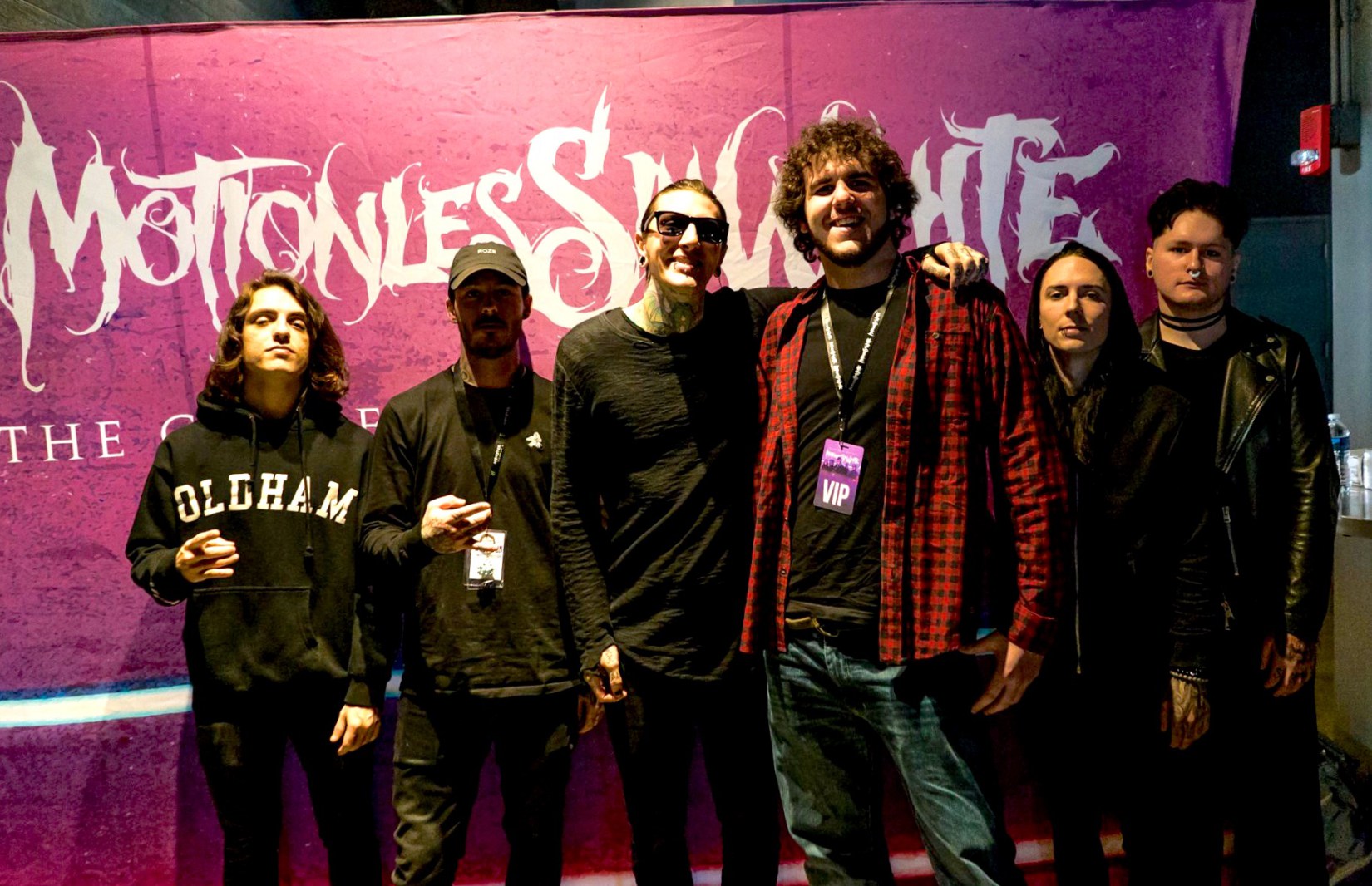
So today I am going to make a mixtape for a stranger. I hope that this list will be able to provide a little more depth about who I am and what I like to do in my spare time. Here goes nothing!
Side A
This side of the track is comprised of songs that I personally enjoy. They do not have a centralized meaning but all share qualities that I feel are a huge part of my personality such as perseverance, devotion, and success. In the same light, I feel that the melodies all share the ability to captivate me as a listener even though they are all vastly different. I not only believe that these songs are all powerful in their own right, but that they also have the ability to showcase a part of me to the listener.
When I am discovering bands that I personally enjoy, I really feel that the biggest factor for me is the overall message. Even if the song might not be as straightforward as I'd like, if there is a central concept that incorporates the rush and energy of the music itself then I'm normally sold. However, as you'll see on side B, there are some songs that have stuck with me for completely different reasons.
Side B
This side is something rather bizarre. If you had the gull to listen through all of these tracks, I applaud your resolve. To give a better context of what these seemingly random collection of musical pieces are, I will explain the background of my selection.
Since I was a kid I have always found happiness in both Video Games and Anime, and they have shaped my life in a lot of ways. The first song on this side is actually an intro to the anime Death Note and has always been the catchiest of the opening soundtracks in my opinion. The next song is kind of weird as it is not directly involved in the anime Bleach but actually comes from my favorite Anime Music Video (AMV) about the show itself. Furthermore, both 3 and 4 are from Super Nintendo Entertainment System (SNES) games. Since this was my first console and housed some of the best games ever made, these soundtracks have a special nostalgic place in my heart. Lastly, track 5 just come out with the recent release of Super Mario Odyssey and to me, signifies the idea that these forms of entertainment will always be a huge part of what defines me even as I grow older.
I sincerely hope whoever manages to find this mixtape has a great time because I really had a blast making it! Enjoy!
This prompt was really interesting for me because there was nothing that I currently have done in my past that could have applied to any of these terrible consequences. However, as everyone could hopefully quickly realize, it's hard to not be able to do something that would cause one of these events. That's what I'd like to discuss today.
Interactive narratives were the focus of our class this week and last. Let me tell you something right away, they are a blast! As you are probably already aware, these are any form of media that allow the user to interact in order to alter the story. We focused on figurative alterations such as advancement of plot and characters as opposed to literally changing the story by turning the page.
Back to the original prompt, where I was unable to divulge a secret that could ruin my career, education, or family-life. After a couple minutes of pondering, I realized that if this were an interactive narrative, I'd have thousands of ways to do something that could cause one of these outcomes!
NOTE: I absolutely love my life and all current aspects associated with it. Please realize the following scenarios are hypothetical!
I could have easily publicly shared sensitive work documents, my previous exams from school, or even letters that belong to my parents. If someone were choosing my actions similar to an interactive narrative, then they would easily tell me to go fight my boss, cheat on my fiancee, or bankrupt my parents. And that is exactly what makes interactive narratives so appealing!
Take for example, The Elder Scrolls V: Skyrim, an interactive video game that has the player controlling the actions of a hero or heroine of a fantasy land. Instead of progressing through the story in a linear fashion, the player has the ability to interact with the game in millions of different ways, similar as to as if they were living as that person. Not surprisingly, you'll find that most players choose to do something completely unethical, insane, or shocking just to see what the expected outcome would be. In the video game this amounts to things such as eating hundreds of plants at one time, fighting a guard, or joining a guild of thieves.
My latest project tried to capture this idea of unorthodox and unrealistic scenarios and mash them into an interactive narrative that I call, "Choose Your Own Adventure". I quickly learned that the sheer amount of paths (it was actually exponential in my case...) as well as trying to write my own responsive framework was a huge undertaking. So many, many hours and pots of coffee later, I hope you enjoy!
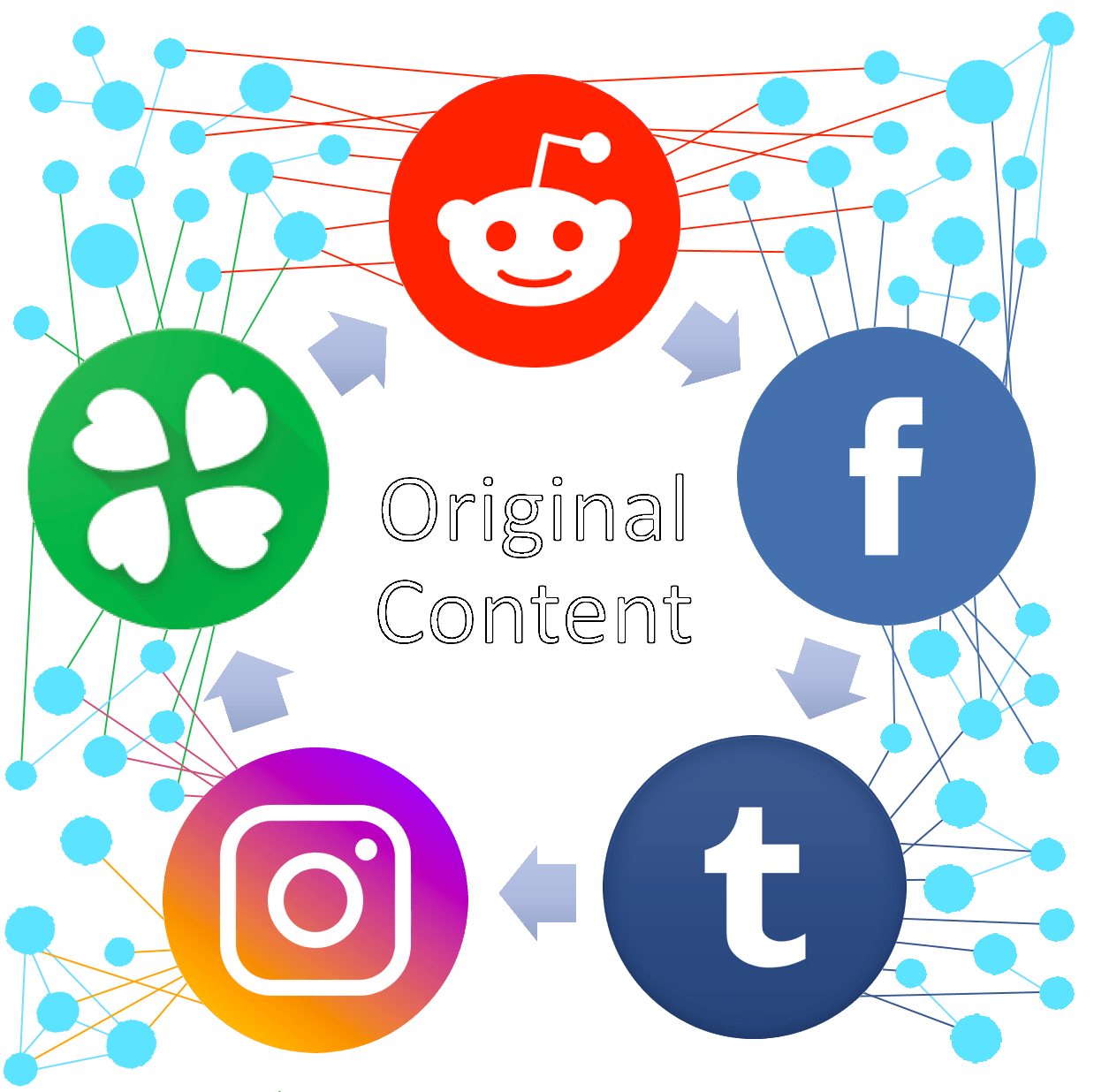
As we start heading towards the finish line in our Writing for Digital Media class, we were tasked with explaining our "creative family tree". This concept has been the culminating course objective since the day we all entered class and received our "Steal Like an Artist" Journals. For those of you who may not understand what this means by this point in my blog, let me explain. There is not really very much "original and completely new" digital media out there in the world. Whether people want to admit it or not, most of their ideas came from something before it, even if just the tiniest little bit. So today, we are delving into this concept...
During class, we were assigned to come up with our own inspiring outlets of media on the web. Whether it be a famous person on Twitter, a designer on Instagram, or a really cool website. We then were supposed to trace back their own inspirations and where they ended up getting their creativity from. In my case, I decided to do the Nintendo Switch Subreddit and the Web Developer Subreddit. I decided to pick these locations because they really showcase the creativity (or lack thereof) on the Internet. The reason being, is that the content produced on the site Reddit is completely user-driven. Sure there are moderators who curate content and some news is automatically added during natural disasters and other huge events, but for the most part, everything that exists is taken straight from the users.
While most people would think that this is a really good idea with lots of potential, others (we will call them "trolls") like to be a little bit more cynical about the whole process. One of the biggest complaints of users such as these, is the lack of "original content" that exists within user-submitted sites such as these. Today's featured image shows a little bit of the dilemma. Much of the content that exists within one social media platform is normally directly copied into another, or altered slightly with outside sources. For users who frequent multiple social media platforms (in this case: Reddit, Facebook, Tumblr, Instagram, and 4chan) they are likely to see this repeated content and smash on their keyboards in disgust.
However, it should be noted that the whole concept of "original content" is not even valid in the first place. As we've delved into over the past couple months, we saw that the majority of today's digital media is almost always taken from, remixed, or inspired by another person's work. That "original" work was taken from, remixed, or inspired by another person's work. And so on and so on. This is the creative family tree at work! While there is nothing inherently wrong with this concept, it is always amazing how quickly people forget to realize this. Moreover, media spreads like wildfire on the Internet and people just like to enjoy and share things that they find fascinating.
Before I let you all go, make sure to check out the fight for net neutrality. If you are not sure if this will impact you, let me save you some time. IT WILL!
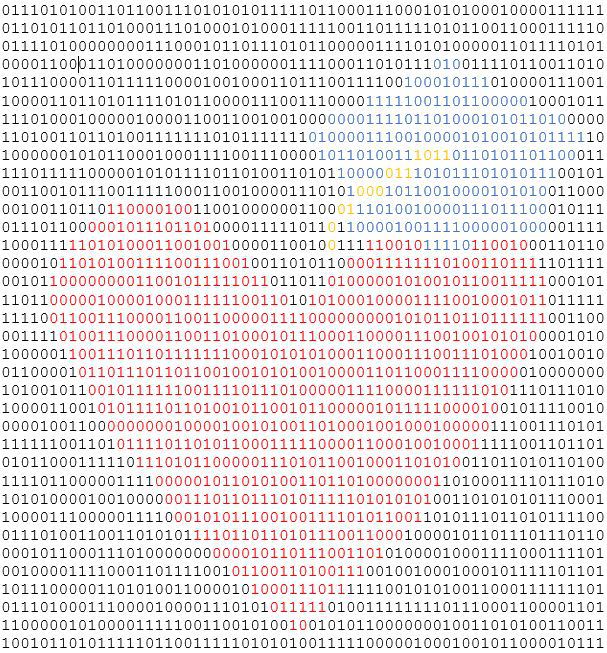
I love family, programming, and learning.
It's as simple as that! This week's prompt is the last push until our final project. As we've spent the last couple months building up to this point, I was very excited to see that our prompts got to deal with the same topic. Purpose.
Hopefully you've been able to keep up with the common theme throughout these series of blog posts. If you thought they were just a compilation of a tired software engineer's ramblings... well, you weren't wrong... However, there has been a slightly more important commonality between my works. And that my friends, is what we will be discussing as we round out the end of the year!
So with any type of artistry, media, or recreational work there is an underlying reasoning for why it was done. Why has the "artist" devoted this much time into doing whatever they did? Unfortunately, it's not always that easy to dissect and understand. Since digital media has an extremely low-cost entry point (get any electronic device and make a free account on Facebook, Twitter, Instagram, etc.) and an ever-growing community of billions of other people from across the world; the "creator"'s meaning might quickly become lost.
This prompt was a simple way to realign my focus and ensure that I was still on the straight and narrow path. By limiting myself to a sentence of six words, I had to deliberately exclude huge portions of my life in order to provide a robust, yet concise answer. Since next week is going to have a lot more content to discuss regarding this topic, I will leave you with my featured image. If you haven't figured out what it is by now, zoom out as far as you can. Keep going! Still don't get it? It's a heart (I love family) with a graduation cap (learn) made up of binary code (program).
So as we wrap up the end of this semester, I do not think there could be a better ending prompt. As I mentioned last week, we began working on our final projects and artist statements. Since this is a huge undertaking, it only makes sense that we should discuss what we do instead of the assignment!
Procrastination is something that I truly believe everyone does, just in different degrees of intensity. Inherently there is nothing wrong with small levels of procrastination because sometimes people, like me, just need to recharge prior to beginning another project. It is when a person is pushing off important work until the very end of a deadline that this really becomes an issue.
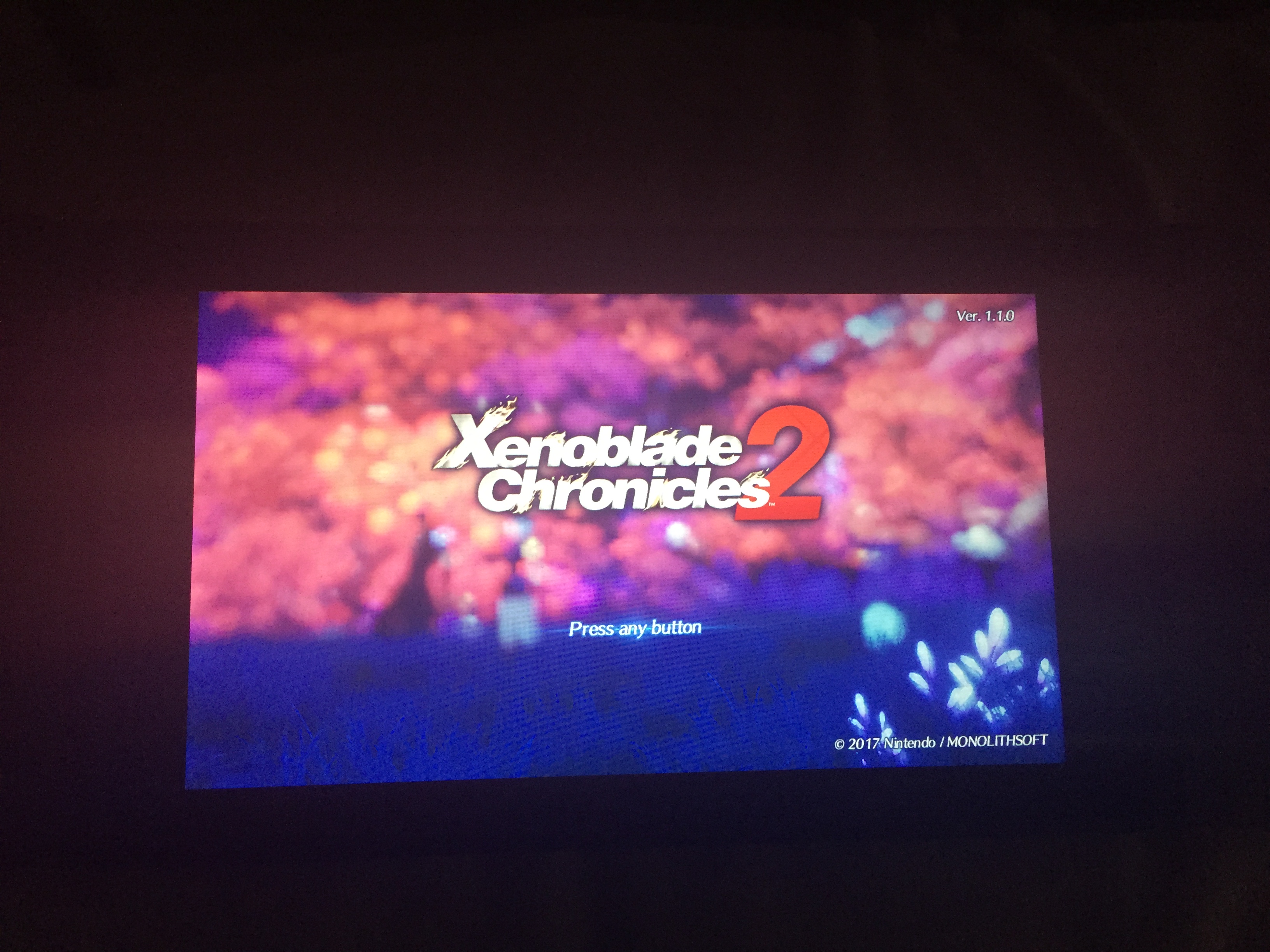
For me personally, procrastination has never been too much of an issue. Just look at the current iteration of my final project! However, whenever I do need a break from the world, I normally do one of two things to take my mind off work. The first thing I normally do is play video games. Since a very young age I have always been enthralled with the exciting, interactive worlds and twisting plots. As my featured image shows, this habit definitely still exists with me today as I just picked up the latest JRPG, Xenoblade Chronicles 2, and am unwinding with this most nights.
The second postponing technique for me is watching Anime. Although this has gained some traction in the Western World, it's still a niche type of entertainment. Yet, I have been watching anime since the days of Toonami as a kid. Since then I have found hundreds of new fantastical series with captivating characters and beautifully hand-drawn scenery. Lately I've been trying to keep up to date with the latest Dragon Ball Super episodes and recently sat down to watch The Boy and the Beast with my family.
I hope that this post inspires others to realize that procrastination is not always bad. Even if it's done by consuming entertainment media like me, there is not always negative consequences by taking out some personal time.

Social Media Narrative
Who I Am
Who I Am is a narrative about my life using Twitter. The story is made up of unwitting participants who happened to tweet something that was similar to an aspect of my own life story. I curated the content and used strangers' comments in order to write my own narrative piece. The story involves a significant portion of my life starting from high school year. Twitter allowed for simple responsiveness across all platforms.